
Publish with a clearer record.
Review campaign links, approve each correction, and keep the rest of your client’s CSV intact.
See a correction
That last batch check should leave you clear about what changed.
Reused links can bring old names and conflicting campaign values into a new launch. TagBatch Inspector gives paid-social freelancers and small agencies a deliberate review step before those links go into ads.
See the change. Keep the choice.
Choose a sample issue. The proposed URL follows your preferences, while unrelated query data stays exactly as supplied.
A cleaner batch.
A file you still recognize.
Bring the client’s existing CSV. Choose its destination-URL column. Apply their naming preferences, then inspect exactly which rows would change.
Keep unrelated data intact
Original columns, row order, other cells and unchanged URLs remain in place. Only approved URL cells are patched.
Make duplicate decisions explicit
Identical values can be reduced to one. Conflicting values need your choice before that row is ready for approval.
Carry the client’s conventions
Save separate naming profiles, specify allowed sources and mediums, and apply only the aliases you define.
Leave a review trail
Export the corrected file and a separate change log. Keep a project backup to return to the batch and its decisions.
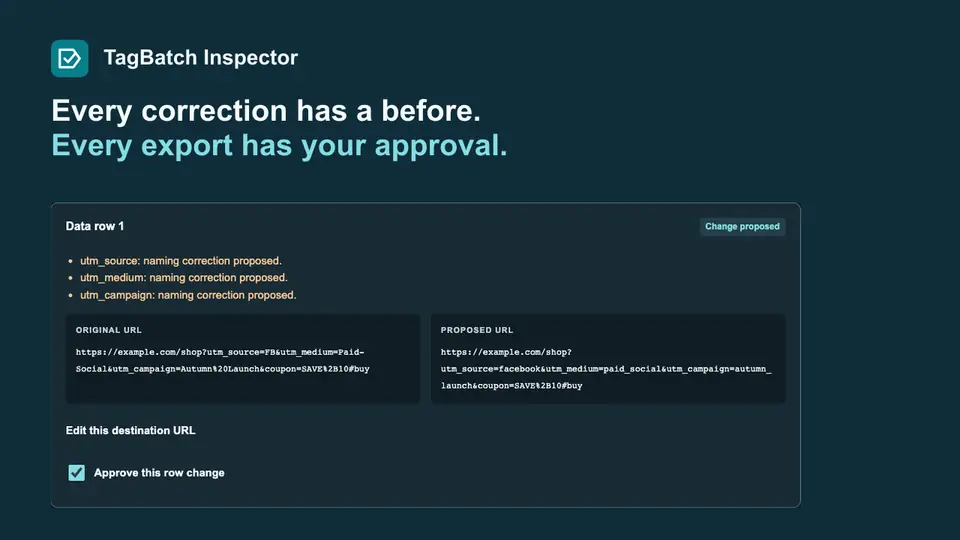
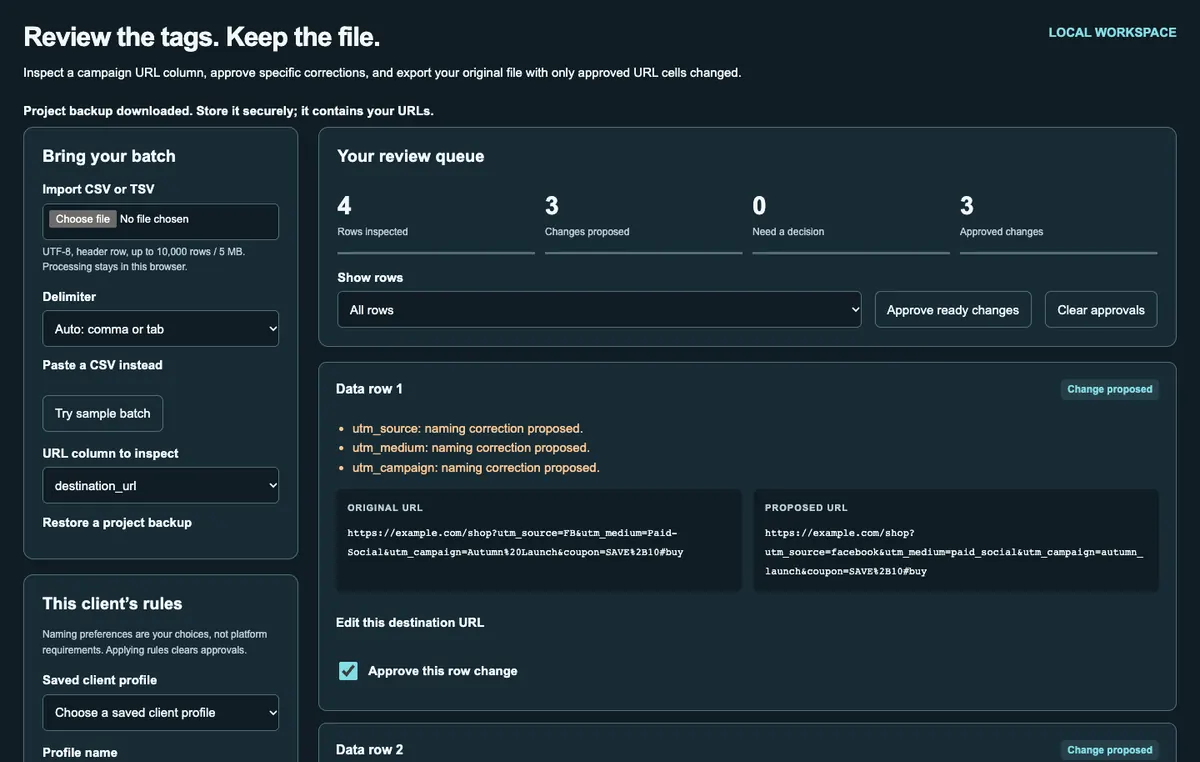
One local workspace for the final check.
Import CSV or TSV, filter the review queue, edit a destination URL, and approve ready changes. Copy or print the review when you need a readable record.
This checks selected naming rules. It cannot verify redirects or analytics collection, or update hosted short links. Test the landing page separately.
Give your next batch a clear review.
One-time purchase
One standalone HTML file. Save it and open it in a modern desktop browser, even without a connection. Small-screen browsers must support local HTML files.
For your individual internal business use, including client campaign preparation. No software redistribution or resale. Keep project backups securely; local storage is not encrypted.
Before you make it yours
Can I use my existing spreadsheet?
Yes. Export the worksheet as a UTF-8 CSV or TSV with a header row, then choose its URL column. The tool preserves the source file structure and unrelated cells. It does not edit an XLSX workbook.
What happens to a change I do not approve?
The original URL stays in the export. If any row is unresolved or unapproved, the tool asks you to acknowledge that those originals will remain before exporting.
How do I keep a batch for later?
Use Save project to download a JSON backup with the original CSV, rules and decisions. Restore that file when you next open the tool. Client profiles can also be saved in the browser.
Can I try the review first?
Open the limited demo to inspect naming drift, conflicting duplicates and placeholders using sample data. Imports, exports and project saving are in the full product.